The Pest Control Scheduling Software Buying Guide (2026 Edition)
A fleet-scale buying guide for pest control scheduling: test branch workflows, question vendors, inspect exit terms, and define the role of automated scheduling.

Buying pest control scheduling software for a fleet of 50+ trucks starts with the dispatch decisions your branches need to make. A regional manager needs to see where capacity is available; a dispatcher needs to know which assignments can actually move. Your managers shouldn't have to reconstruct the day from separate calendars. Use the buying process to test those decisions against your own operating rules. The best pest control software for your operation should earn its place through a working demonstration, a clear implementation plan, and terms your team can live with when the contract ends.
What Pest Control teams actually need from scheduling software
Start with the work your branches must assign and the restrictions that make an assignment acceptable. Ask each branch to describe how it handles planned visits, schedule changes, and work that needs a particular technician. Write the test brief together.

Don't let the vendor choose all the examples: when a demonstration uses only easy assignments and skips the operating restrictions your branches supplied, your dispatch managers have little evidence for judging the decisions they'll actually need to make.
For a regional operation, the useful unit of evaluation is the whole schedule. Test whether a manager can inspect branch capacity while a dispatcher keeps control of local assignments. Ask what happens when a visit crosses a territory boundary, when someone changes availability, or when a manager needs to reverse a decision. These are proposed acceptance tests, not assumptions about features every supplier offers.
Keep broader industry reading separate from the software scorecard. The National Pest Management Association provides a place to follow the trade; it doesn't establish that a particular scheduling product fits your fleet. Use your own requirements.
During a pest control dispatch software comparison, record who made each change and whether the affected branch could see it. If that answer takes a separate spreadsheet to explain, include the extra work in your evaluation.
Must-have vs nice-to-have features
Divide the shortlist by consequences. A must-have is a requirement whose absence would prevent your operation from using the system. A preference permits a workaround. Before anyone sees the polished demonstration, identify who would own that workaround, what it would cost, and whether the affected dispatchers would accept doing that work throughout the proposed agreement. An attractive feature can eat up the meeting while an awkward handoff between branches goes untested.
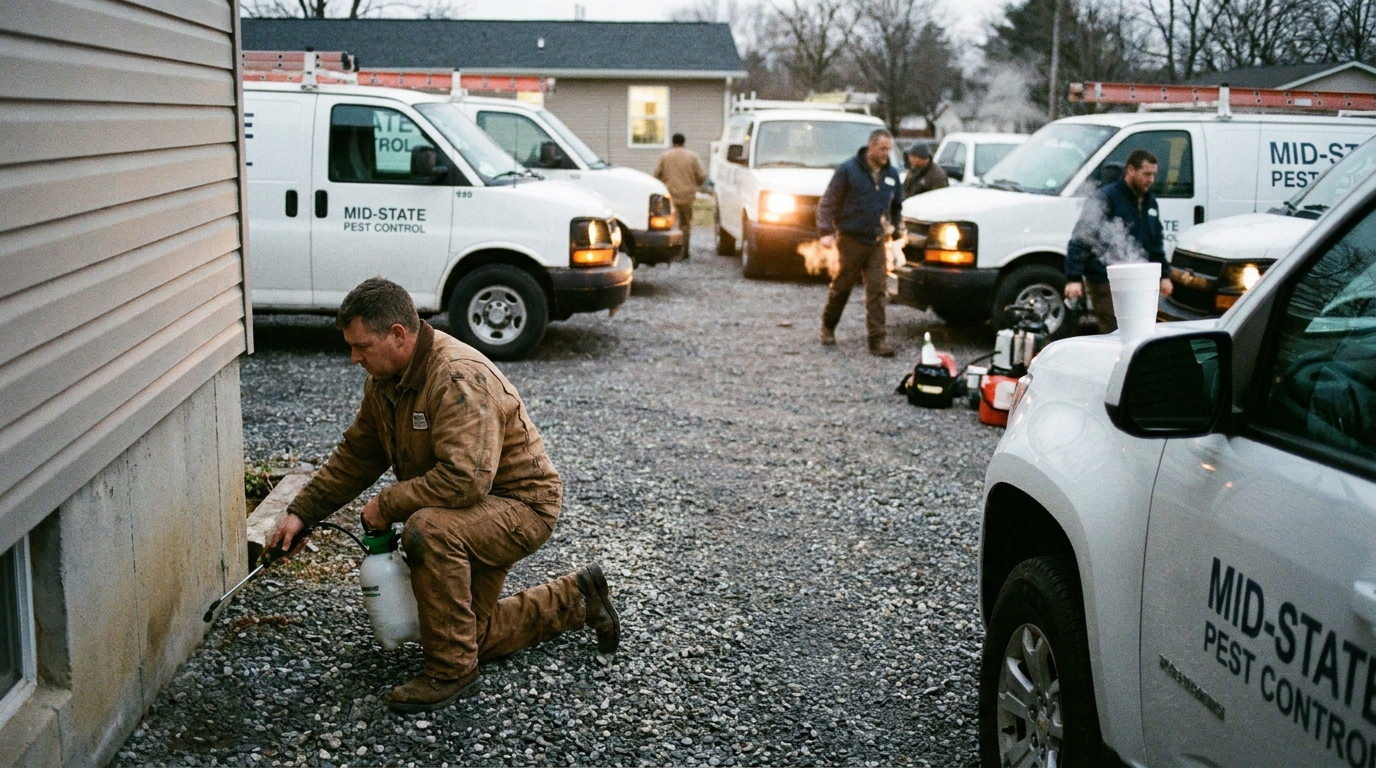
For your own test, consider treating shared schedule visibility and explicit assignment restrictions as mandatory. Then decide whether reporting, integration behavior, or permissions create further requirements. The right choice depends on your operating model. Ask the people who will maintain those rules to approve the list; a regional manager shouldn't commit dispatchers to a workaround they haven't seen.
The phrase pest control scheduling software for small business may bring a product onto your initial list. For a large fleet, ask the vendor to demonstrate the same workflow across your branches before carrying it forward. You still need to see it work at your scale.
Request pest control scheduling software examples using your test brief. Have the demonstrator change an assignment while another branch is working, then inspect what each user sees. Record any manual recovery.
Save interface preferences for a later discussion, after your team has tested whether the underlying schedule remains usable across the branches and the people who need to change assignments during the demonstration.
Questions to ask every vendor
Send the questions before the meeting so vendors can bring someone capable of answering them. When you're evaluating a FieldRoutes alternative, ask every candidate to perform the same tasks. That includes a product already in use. Test the incumbent too.
- Which scheduling restrictions can we enforce, and what happens when no acceptable assignment exists?
- How do branch permissions work when a regional manager moves work between territories?
- Which data moves through each integration, and who investigates a failed update?
- What can we export at contract end, in which format, and with what assistance?
Use the search phrase pestpac vs fieldroutes as a starting point for questions, not a substitute for a tested comparison. Ask suppliers to show the relevant behavior in their current product and put unresolved answers in writing. Don't infer a feature or limitation from the comparison phrase alone.
Discuss pest control scheduling software cost as a complete proposed agreement. Ask which charges cover implementation and support, and which changes would trigger extra fees. Request responsibility for migration validation in writing. Industry reading from Pest Control Technology can inform the questions your team brings, but your commercial decision needs the vendor's actual terms.
Red flags and lock-in traps
Pay attention when a supplier won't demonstrate how you leave. Request a sample export before signing and have the team that would receive it inspect the result. Can they identify the records they need? Do relationships remain understandable outside the application? You don't need to predict a future migration to establish what access your contract provides.
Another concern is a demo answer that keeps moving between the product and a proposed custom project. Ask which behavior exists today, which requires configuration, and which depends on work that hasn't been delivered. Keep the distinction visible: a task your dispatcher completed during the trial provides evidence you can inspect, while a promise about undelivered work still needs written scope and acceptance conditions before your team can evaluate it.
Keep your comparison of a pest control scheduling software alternative to FieldRoutes tied to those recorded results. Avoid assuming that switching vendors automatically resolves a workflow your own requirements still leave unclear.
Use external context carefully. The Bureau of Labor Statistics Occupational Outlook Handbook and Statista are starting points for broader workforce or market research, not evidence of a supplier's performance. Ask for the exact supporting material before repeating a market claim in your internal business case. If you can't inspect the evidence, leave the claim out. Base the purchase on demonstrated requirements.
Where AI scheduling fits in a modern Pest Control stack
Give AI scheduling a defined job in the evaluation. Ask it to propose assignments within the restrictions your operation supplied, then have a dispatcher inspect the proposal. For a fleet spanning several branches, test whether the explanation makes sense to the manager responsible for the affected work. Don't approve a recommendation your dispatch manager can't inspect.
Separate conversational requests from scheduling decisions. A natural-language interface might help a manager express a change, but your acceptance test should examine the resulting assignments and the rules applied to them. Ask the vendor to show an infeasible request as well as a successful one. What does the user see? Who can relax a restriction?
If Crisphive is on your shortlist, evaluate its scheduling and dispatch role against that same test brief. Confirm the proposed integration boundary with your existing pest control business software. Don't assume that adding a scheduling layer replaces other systems your branches depend on.
When you ask how to improve pest control scheduling software, choose a specific operating change to test. Choose a dispatch decision, define acceptable outcomes, and record what the system proposed. Your pest control dispatch managers should be able to explain why they accepted or rejected it without borrowing the salesperson's vocabulary.
Decision checklist
Before choosing the best pest control scheduling software for your fleet, bring the branch representatives back to the same evidence. Review the tasks completed during the trial and the exceptions still unresolved. Ask each owner what they can accept.
If two branches need different behavior, bring their dispatch managers into the same discussion and resolve the disagreement before treating the evaluation as complete, since the proposed workflow still needs their approval.
- Confirm that mandatory workflows were demonstrated with your operating restrictions.
- Assign an owner to each integration and migration check.
- Record unresolved exceptions and the person authorized to accept them.
- Check the written commercial terms against the implementation plan.
- Inspect the sample export and agree on the conditions for proceeding.
Keep pest control scheduling software tips attached to those tests, so useful observations don't disappear into meeting notes. If your search for pest control scheduling software 2026 has produced a long shortlist, narrow it using the requirements your team approved. If your search returns pest control scheduling software software, skip the repeated wording and return to your trial notes.
Book the next demonstration around the unresolved branch workflow. Send the vendor the task, name the dispatcher who will run it, and specify what your team needs to inspect before agreeing to a purchase.
#PestControl#BuyingGuide#Software#FieldService#Trades#SkilledTrades#HomeServices#BlueCollar#FieldOps#SmallBusiness#dispatch#scheduling#AI#automation#SaaS#B2B#Productivity